English guide
Complete Beginner Tips & Tricks
A broad community walkthrough covering sanity, anomalies, cameras, survival, and patient treatment.
Watch on YouTubeCommunity-created guide. Not affiliated with the Animal Hospital developers.
Learn the hospital layout, patient checks, treatment flow, and team roles before the waiting room gets busy.
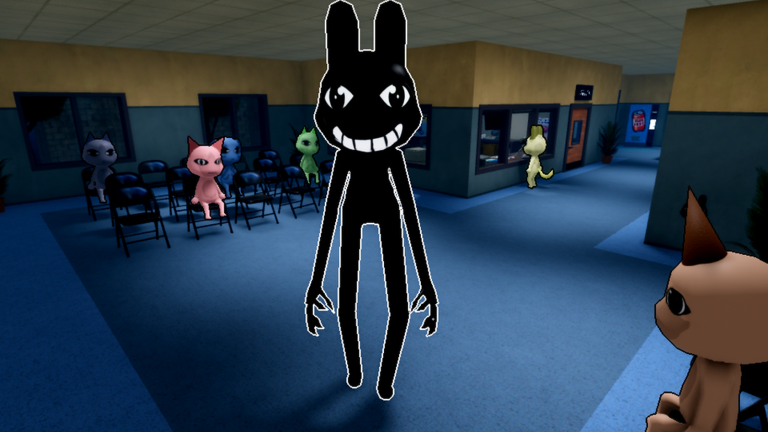
Start with an English walkthrough when you want the shift flow explained before your first patient.
A broad community walkthrough covering sanity, anomalies, cameras, survival, and patient treatment.
Watch on YouTubeCommunity-created guide. Not affiliated with the Animal Hospital developers.
A good first shift is measured by a repeatable routine, not by how quickly the queue disappears. Learn the rooms, keep patient checks in order, communicate unknown results, and let each teammate own a clear part of the hospital loop.
Find reception, the CCTV view, common treatment supplies, and the routes between rooms before pressure builds. Walk the path you expect to use rather than exploring randomly. Knowing where to return after a check saves more time than sprinting without a plan.
Keep the beginner guide or Shift Assistant open on a second screen. The purpose is not to read while danger is happening; it is to reduce memory load so you can compare the file, window, photo, CCTV, and treatment in the same order.
Say what you observed: mismatched teeth, a normal photo, an unknown CCTV result, or a confirmed fever. Specific calls let another player verify the same feature. Vague messages such as “bad patient” or “looks fine” make it difficult to recover when checks disagree.
Unknown is a valid status. If a view has not appeared or the animation was too quick, leave it open and ask for another look. New players often lose consistency by forcing every check into normal or suspicious before enough evidence exists.
After a difficult patient, identify which step failed: the file was skipped, CCTV was late, treatment inventory was wrong, or nobody owned the response job. Change one part of the team routine for the next patient rather than abandoning the whole sequence.
Use early Coins and class choices to support the role you repeatedly perform. Do not buy a class only because it appears late or costs more. Several calm shifts in a starter role reveal whether your real problem is inventory, movement, sanity, treatment recovery, reception, or defense.
Slow the team when two checks conflict, a complaint is unclear, inventory is blocking the correct item, or nobody can confirm the CCTV view. A short pause with a named problem is more useful than several rushed actions that create a second mistake.
Speed returns naturally when the route, vocabulary, and responsibilities become familiar. Keep the same order long enough to learn it before experimenting with faster team strategies.
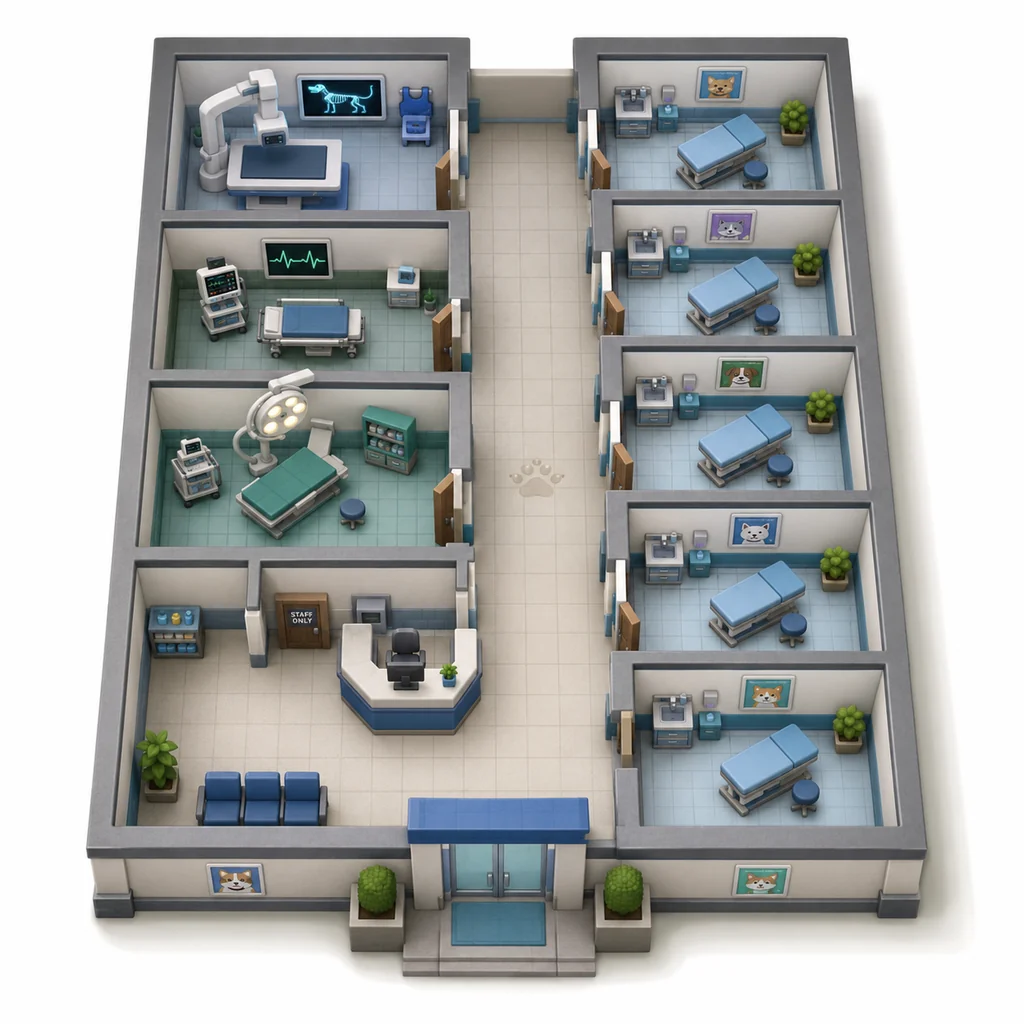
Use this simplified guide map to locate the front desk, patient rooms, treatment spaces, CCTV checks, and the routes that connect them.
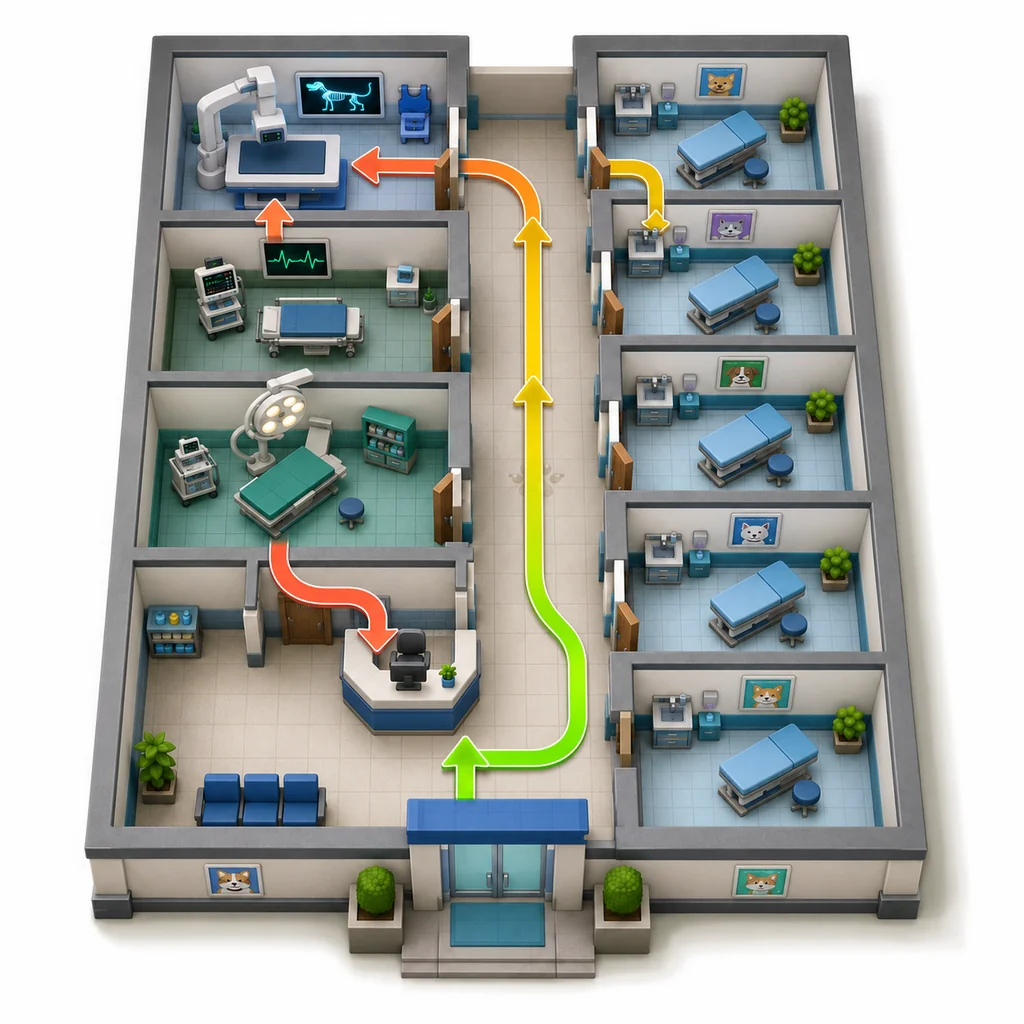
Follow the same route for each patient: receive the file, compare the patient, verify the photo and CCTV, then admit or escalate.
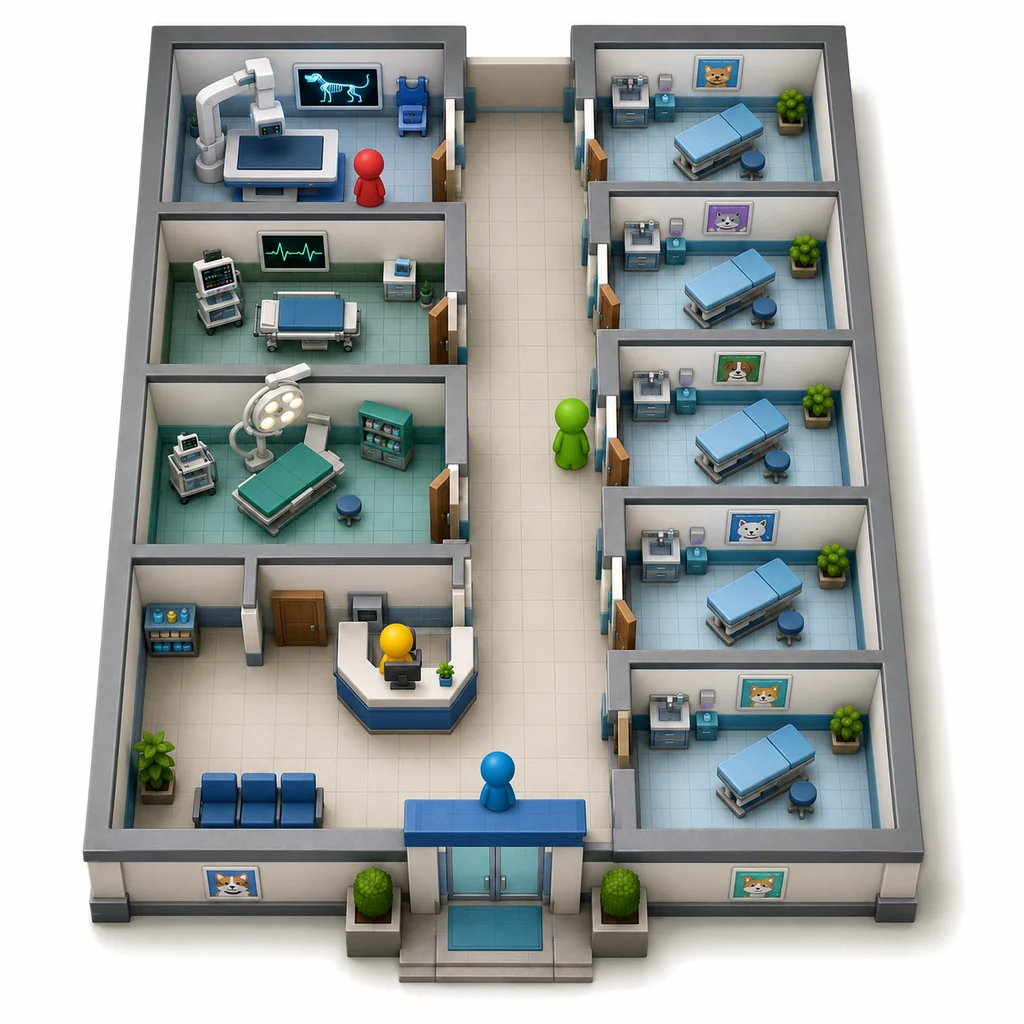
Split the team across information, treatment, and response positions so every player is not repeating the same check.
Your first goal is not speed. It is building a repeatable loop that still works when the waiting room fills.
Locate reception, CCTV, common treatment supplies, and the safest paths between rooms.
Compare the name, complaint, photo, and requested care before you move to a decision.
The waiting-room camera can reveal body, eyes, ears, or behavior that the window hides.
One suspicious clue deserves another check. Several failed checks are a reason to stop routine admission.
Use the treatment reference instead of carrying random supplies and guessing under pressure.
Use class perks, team roles, and clean patient-by-patient decisions to avoid a collapsing shift.
A clear division of labor is more useful than four players carrying the same supplies.
Run files, photo checks, and admission decisions.
Watch the waiting room and call out visual mismatches.
Prepare correct items and move patients through care.
Handle danger, rescue runs, and shift-wide emergencies.
We use optional Google Analytics only if you allow it. Future ads may use third-party cookies or similar identifiers; details are listed in the Privacy Policy.